
Close the day without surprises
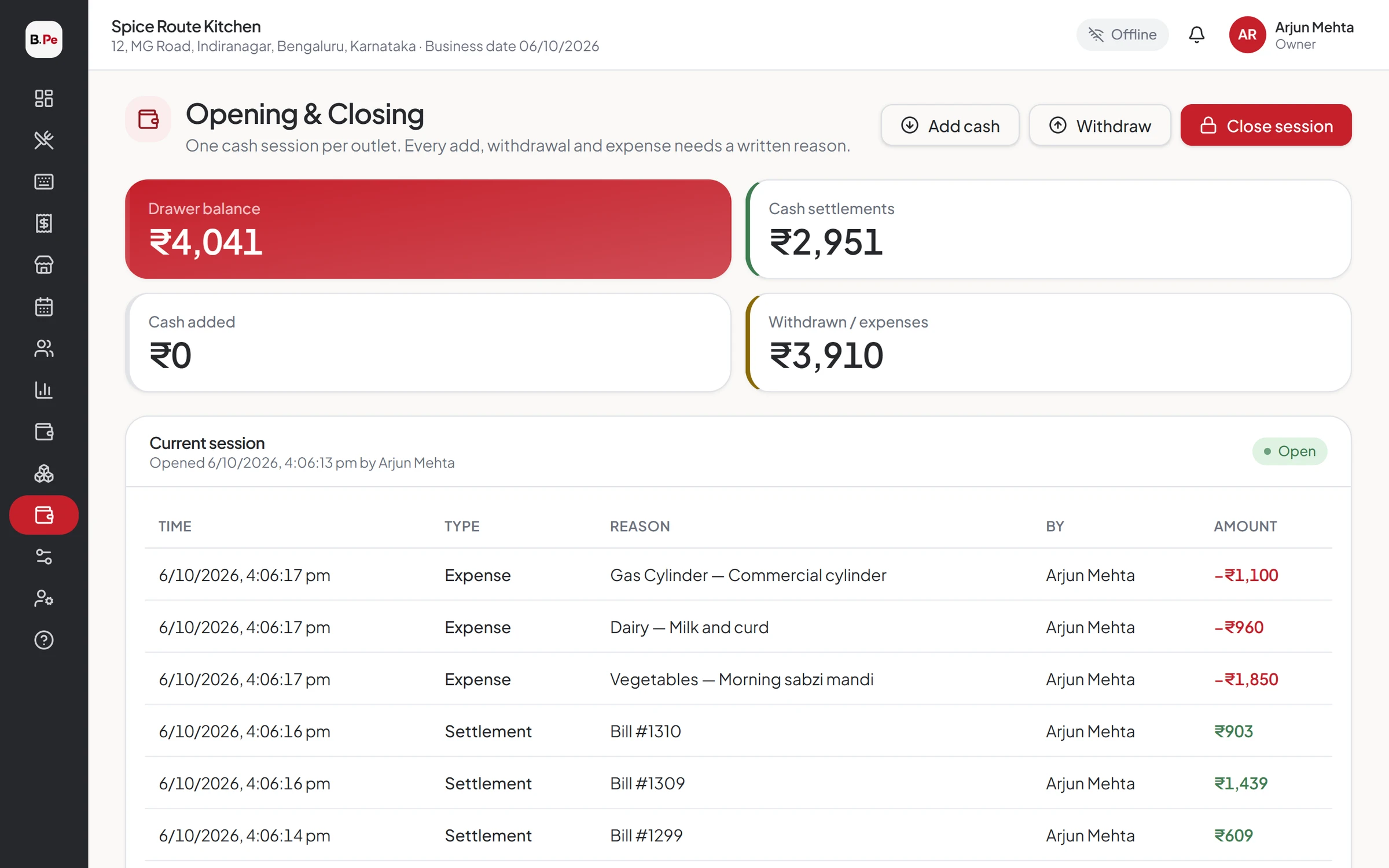
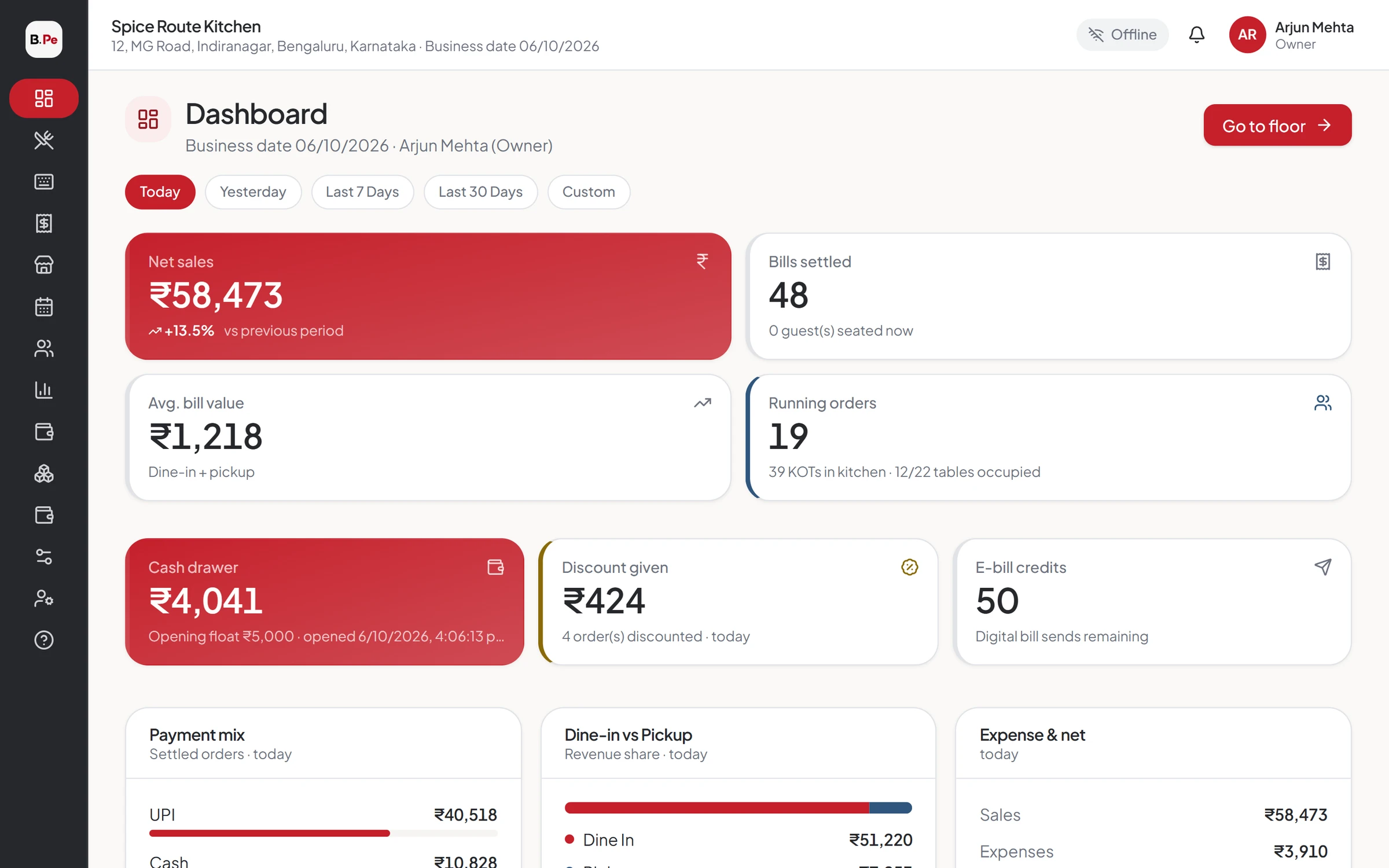
Open with a float, record cash in and out, count at closing and see the difference instantly. Track expenses by head and every rupee customers owe you.
The drawer never matches
Cash paid to a vendor, change taken out, a due bill paid later: by closing time nobody knows why the drawer is short. BillerPe records every movement as it happens.
Everything Cash & Expenses does for you
Cash session
Opening float, cash in, cash out and closing count.
Closing difference
Expected vs counted cash, with the difference shown at once.
Expense heads
Record expenses by head and see them in reports.
Due ledger
Bills on credit per customer, with due collection and receipts.
Customer database
Customers with GSTIN, address and order history.
Reports
Cash session, expense and due received reports.
Open, run, close
Every shift starts with a float and ends with a count. BillerPe shows exactly what should be in the drawer.
- Opening float
- Cash in and out with reasons
- Closing count and difference
Dues that get collected
Bills on credit go to the customer's ledger. Collect in part or in full, with receipts.
- Bulk due settlement
- Search and date filters
- Due received report
Expenses in the same place as sales
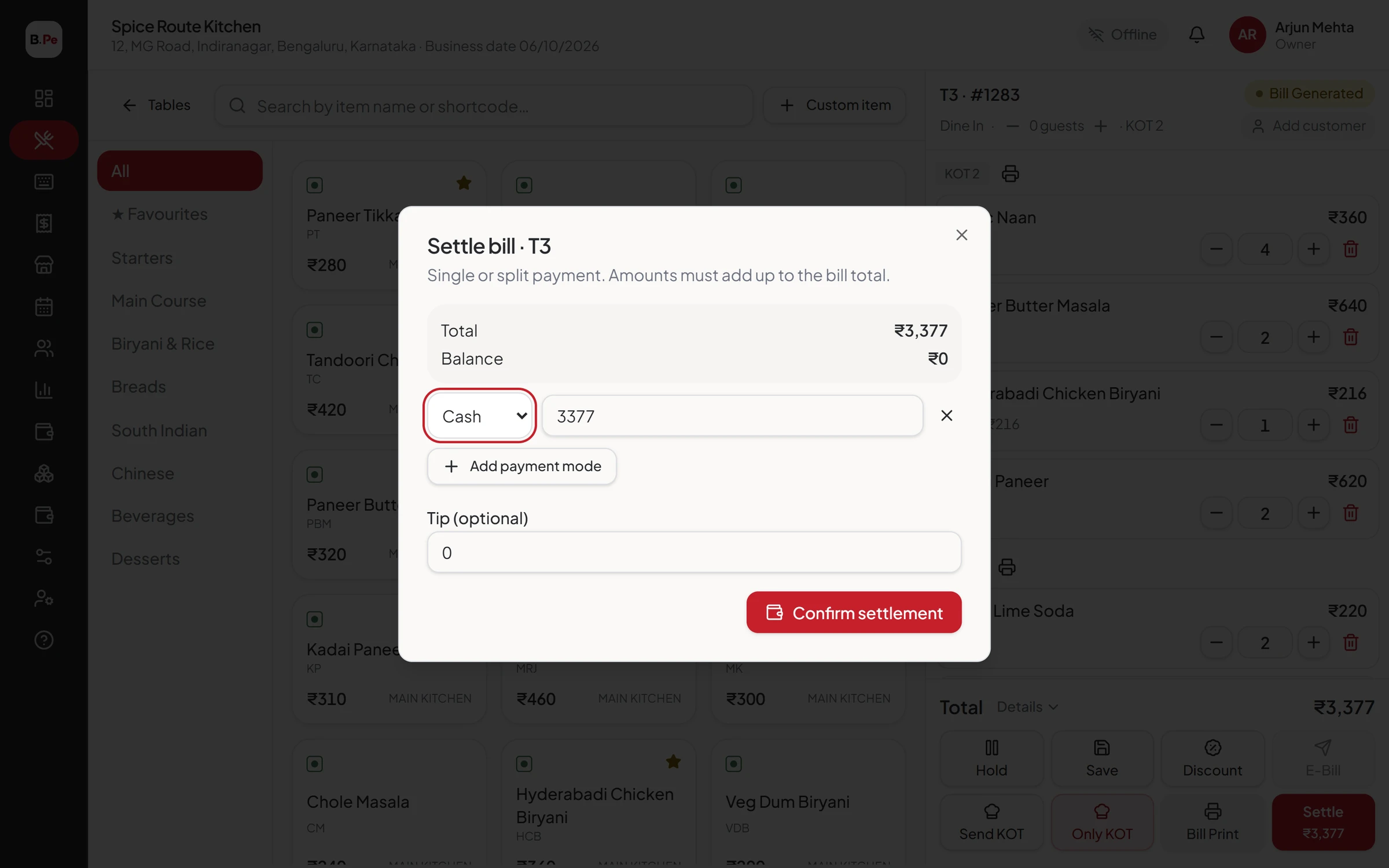
Record expenses by head so your daily summary shows the full picture.
- Expense heads
- Expense report
- PO payments to expenses
Better together
What our clients say
I have been working with BillerPe, and it has been an excellent experience. It is a very simple-to-use, understandable, and effective system that draws up accounts and controls inventory.
 ZaikaRestaurant · BillerPe customer
Questions we hear often
Yes. Open and close a session per shift and see each one in the cash session report.
See BillerPe working in your restaurant
A 30-minute live demo with your own menu. No obligation, no pressure.
- 30 minuteson a video call
- Your menuset up for the demo
- Free setupif you go ahead